Fashion lookbook to campaign video
Expand a single look into coordinated visual variants, then animate the strongest direction.
5 steps · Brief → Image → Looks
Real workflow example
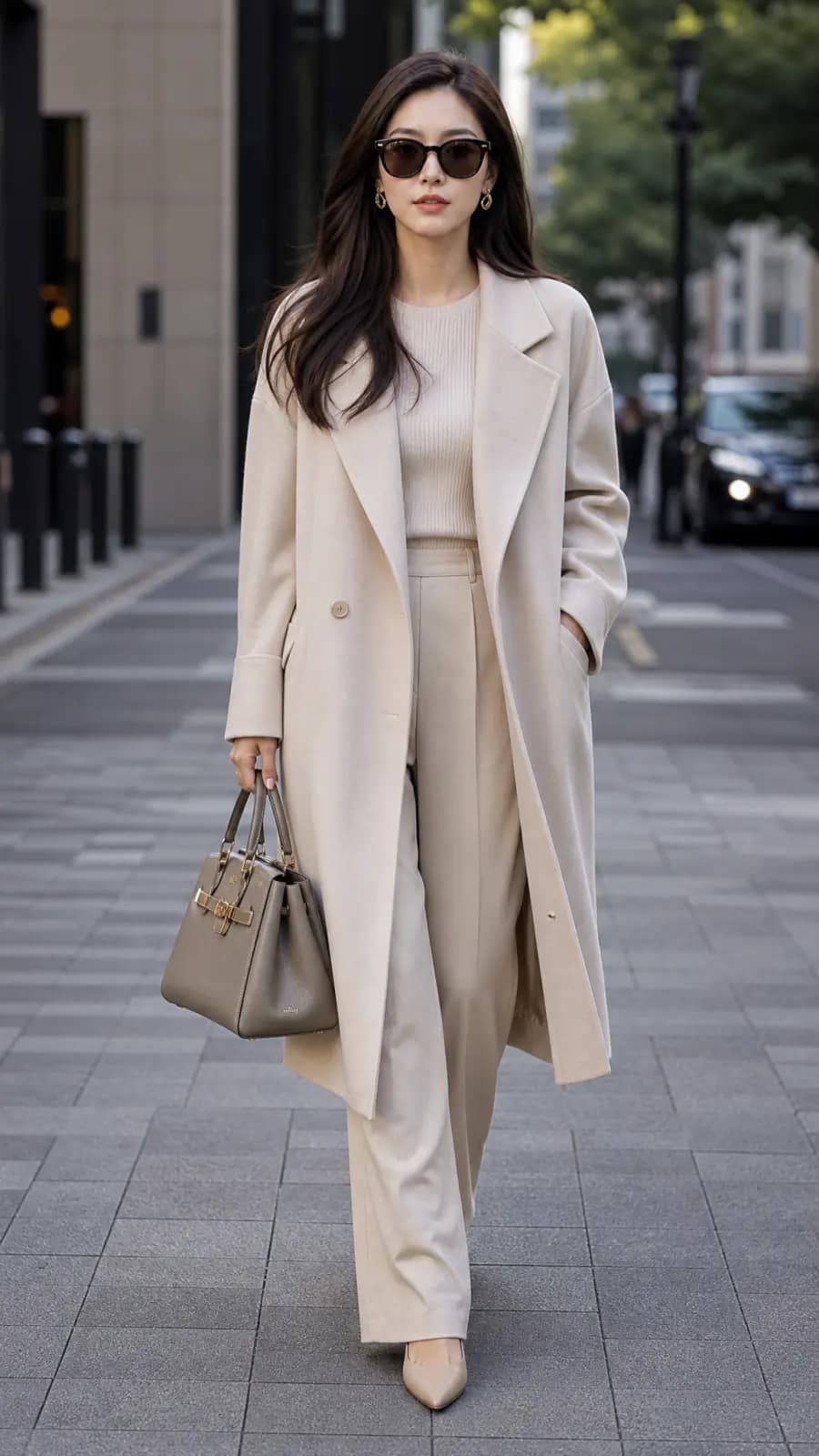
What this workflow produces
A cohesive fashion campaign clip with reusable stills and a consistent visual direction.
Workflow steps
- 01
Add source media
Place the strongest reference image, product shot, or brand asset on the canvas so every downstream step starts from the same visual source.
- 02
Branch useful variants
Duplicate the promising branch to test alternate styling, framing, or motion without rebuilding the whole workflow.
- 03
Generate the key visual
Use an image generation or editing node to establish the composition, subject, and visual direction before spending credits on motion.
- 04
Create motion
Connect the approved still and text to a compatible video model, then generate a short clip with deliberate camera and subject movement.
- 05
Review, stitch, and export
Compare the outputs, trim or sequence the strongest clips, then export the finished asset in the format your channel needs.
How do you turn a fashion lookbook into a campaign video?
Start from one approved look, generate a few coordinated variations of it, then animate the strongest frame. Labs is enough to test a single look; Canvas keeps the reference, the variants and the video steps connected so you can repeat them for the next look.
Choose one look and one direction
Use a full-length image where the garment, fabric and silhouette are easy to read. Decide on the season, location and mood before generating, and keep them the same for every variant. Pick a vertical format if the campaign is for Reels, TikTok or Shorts; available sizes vary by model.
Example prompt for a look variant
Use the uploaded look as the reference. Keep the same coat, cut, fabric and color. Place the model on a quiet city street in soft overcast light, full length, walking toward the camera. Natural pose, no logos, no added text.
Example image-to-video prompt
The model walks slowly toward the camera and the coat moves naturally with each step. The camera tracks backward at the same pace. Keep the outfit, face and light unchanged. One continuous shot, no cuts.
These prompts are starting points, not the exact recipe for the example video above.
Check the garment before you animate
Compare every variant with the source look: collar, buttons, length, texture and color should match. Discard variants that change the garment, even when they look good. After animation, watch for fabric that melts or flickers and for distorted hands. Change one thing at a time, such as the location or the camera move.
What does this workflow cost?
There is no fixed price for a campaign video. Each image and video generation uses credits based on the model and settings, and every retry adds to the total. Check the estimate before each run. Labs is available on every plan, including Free; stitching clips in Canvas requires Pro or Max.
Check current plans and creditsChoose models for the job
Model availability, supported inputs, speed, and credit cost vary. Use the live model directory to compare current options before you build.
This guide shows a reusable workflow pattern. Exact results vary by source media, prompt, selected model, and settings.
Start creating free