Still image to short-form video
Animate a strong still, test alternate motion directions, and export a concise social-ready clip.
5 steps · Brief → Image → Film
Real workflow example
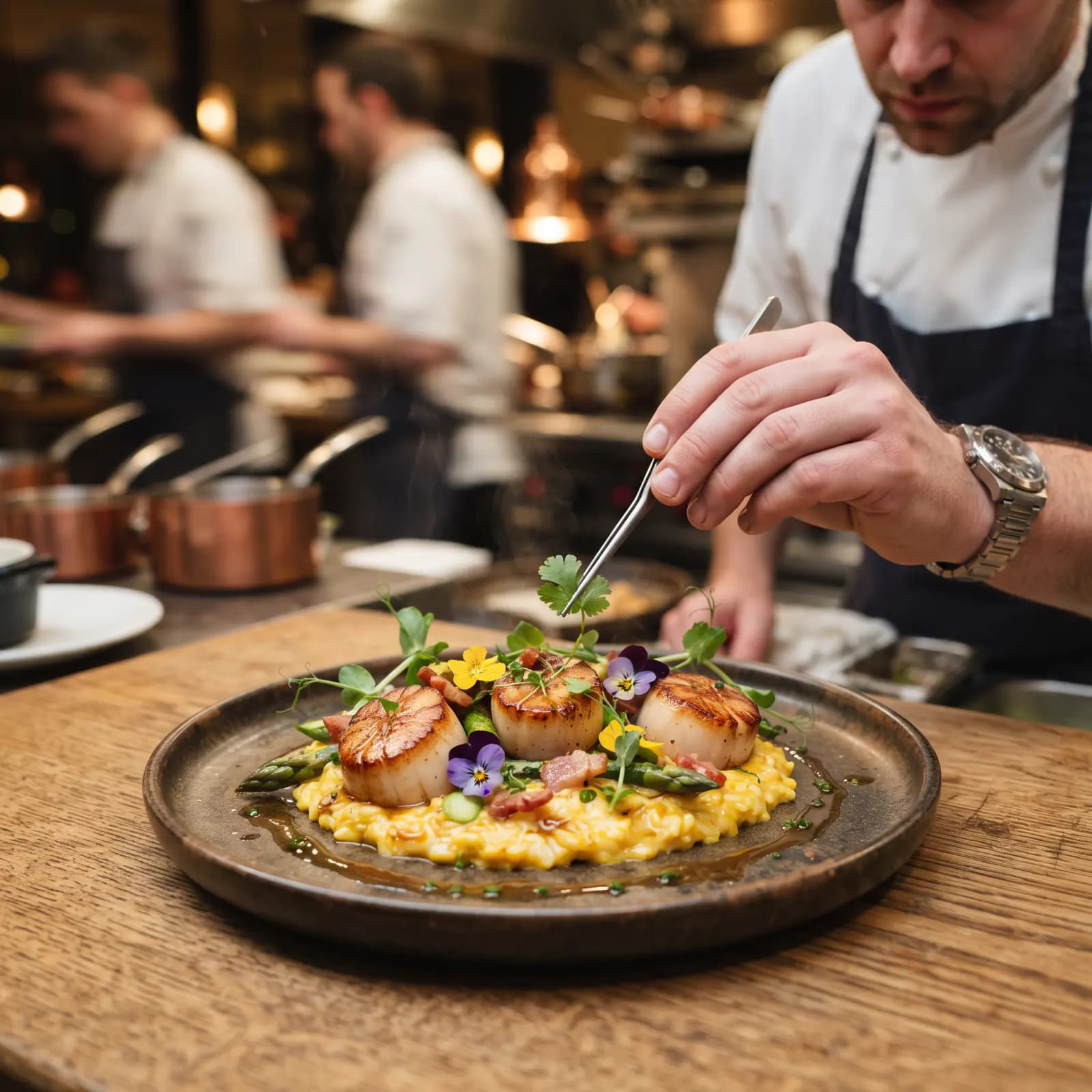
What this workflow produces
A short looping video that keeps the composition of the source image while adding controlled motion.
Workflow steps
- 01
Add source media
Place the strongest reference image, product shot, or brand asset on the canvas so every downstream step starts from the same visual source.
- 02
Write the focused prompt or script
Generate or refine concise copy for the scene. Keep the message and motion instructions specific enough to reuse across variants.
- 03
Create motion
Connect the approved still and text to a compatible video model, then generate a short clip with deliberate camera and subject movement.
- 04
Branch useful variants
Duplicate the promising branch to test alternate styling, framing, or motion without rebuilding the whole workflow.
- 05
Review, stitch, and export
Compare the outputs, trim or sequence the strongest clips, then export the finished asset in the format your channel needs.
How do you turn a still image into a short video?
Pick an image with a clear subject and some room for movement, describe one action and one camera move, and generate a short clip with an image-to-video model. Generate two or three motion options from the same still and keep the best one.
Pick a still that can move
Images with one subject, readable hands and some space around the edges animate best. Busy scenes and small text tend to warp. Decide where the clip will be published first, so you can choose a model that supports that aspect ratio and length.
Example image-to-video prompt
The chef slowly finishes plating and places the last herb with tweezers. Steam rises gently from the plate. Slow push-in toward the dish. Keep the chef, plate and kitchen unchanged. One continuous shot, no cuts, no added text.
Example prompt for an alternate take
Same scene with a static camera. Only the chef's hands move as they wipe the rim of the plate. The kitchen light flickers softly in the background. Keep everything else still.
These prompts are starting points, not the exact recipe for the example video above.
Compare the takes side by side
Check that the subject keeps the same face, hands and proportions from the first frame to the last. Reject takes where objects appear, merge or disappear. If the motion is too strong, ask for less movement rather than a different scene. For a loop, choose a take whose last frame is close to the first.
What does this workflow cost?
There is no fixed price per clip. Each generation uses credits based on the model, duration and resolution you choose, and retries add to the total. Check the estimate before running. Labs is available on every plan, including Free.
Check current plans and creditsChoose models for the job
Model availability, supported inputs, speed, and credit cost vary. Use the live model directory to compare current options before you build.
This guide shows a reusable workflow pattern. Exact results vary by source media, prompt, selected model, and settings.
Start creating free